

Table Of Content
What You Need Before Sending or Receiving Bitcoin
Before sending or receiving Bitcoin, you need a secure crypto wallet (software or hardware), a verified address, and a small amount of BTC to cover transaction fees. Also, make sure your wallet is backed up using a recovery phrase in case your device is lost.
Choose a wallet that supports Bitcoin and is appropriate for your level of experience—new users may prefer mobile wallets, while long-term holders often use cold wallets.
Lastly, always double-check the recipient’s address before transferring any crypto, as Bitcoin transactions are irreversible.
How to Receive Bitcoin in 4 Simple Steps
To securely receive (or send) Bitcoin, follow these five practical steps, each designed for wallets that are already live and widely used.
1. Choose and Set Up a Compatible Bitcoin Wallet
The first step is selecting a wallet that supports Bitcoin. Depending on your goals, you can choose between a software wallet (like Exodus or Electrum) or a hardware wallet (like Ledger or Trezor).
Software wallets are convenient for frequent transactions but may be vulnerable to malware.
Hardware wallets are safer for storing large amounts of BTC offline.
Web wallets, like those offered by exchanges, are easy but involve custodial risk.
After installing or setting up your wallet, make sure to back up your recovery phrase securely. This ensures you can regain access if your wallet is lost or compromised.
Wallet Type | Best For | Security |
|---|---|---|
Hardware Wallet | Long-term holders | Very High |
Mobile Wallet | Daily users | Moderate |
Web Wallet | Beginners or casual use | Low to Moderate |
Desktop Wallet | Active traders | High |
Exchange Wallet | Quick buying/selling | Varies by platform |
2. Locate or Generate Your Bitcoin Wallet Address
Once your wallet is set up, you’ll need to retrieve or create a Bitcoin address to receive funds. This is typically a long string of letters and numbers.
Tap “Receive” in your wallet app to generate a new address.
QR codes make it easier to share your address for in-person or online transfers.
Use different addresses for different transactions to improve privacy.
Ensure the address matches Bitcoin (BTC) format—sending other assets to it may result in permanent loss. This address is what others will use to send you Bitcoin.

3. Sending Bitcoin: Enter Details & Confirm the Transaction
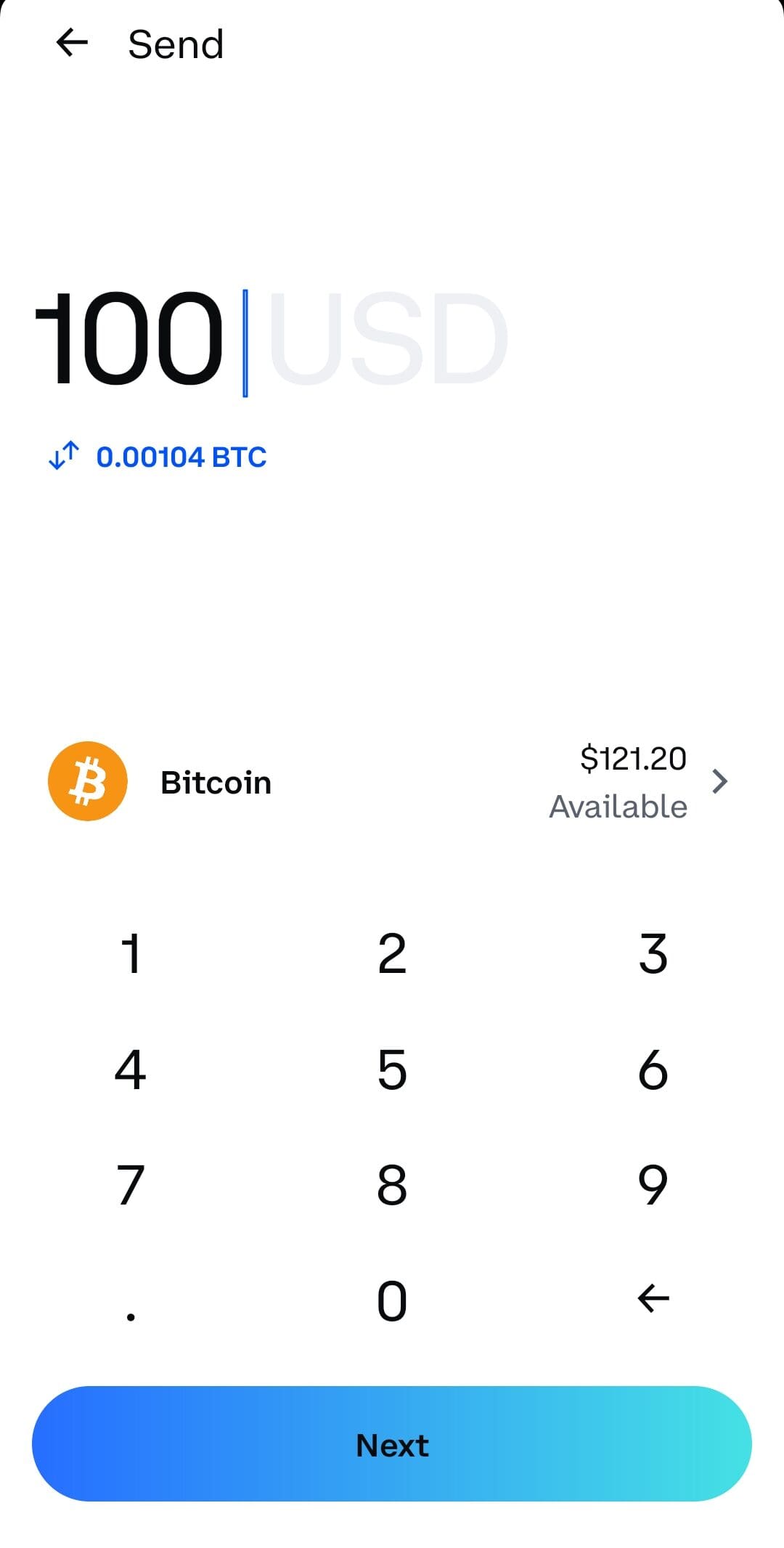
When sending BTC, open your wallet and click on “Send.” You’ll need the recipient’s Bitcoin address, the amount, and a network fee.
Enter the amount either in BTC or its equivalent fiat value.
Adjust the network fee (higher fees usually result in faster confirmation).
Double-check the address and amount before confirming.
After confirming, your transaction will be broadcast to the Bitcoin network. Depending on the fee and congestion, confirmations can take from 10 minutes to over an hour.
4. Track and Confirm the Transaction
Once sent, you can track the status of your transaction using a block explorer such as Blockchain.com or Blockstream.info. You’ll see the number of confirmations it has received.
0 confirmations means the transaction is pending and not yet validated.
1-3 confirmations are usually sufficient for low-value transactions.
6+ confirmations are standard for high-value transfers.
After enough confirmations, the transaction is considered final. Therefore, the recipient will now see the BTC in their wallet and can spend or hold it as needed.
How Long Does It Take to Send and Receive Bitcoin?
The time it takes to send and receive Bitcoin depends mainly on network congestion and the transaction fee paid.
Typically, a transaction is confirmed within 10 to 30 minutes, but during peak times or with low fees, it can take hours. Most services require 1 to 6 confirmations before releasing funds.
Condition | Estimated Time | Confirmation Speed | Notes |
|---|---|---|---|
High fee, low congestion | 10–20 minutes | Fast | Ideal for urgent transfers |
Average fee, normal traffic | 20–60 minutes | Moderate | Most typical transactions |
Low fee, high congestion | 1–6 hours+ | Slow | May be delayed during peak times |
Sent via custodial wallet | Varies (up to 1h+) | Varies | Relies on platform's internal batching |
Also, wallets using batching or custodial services may delay processing slightly. To speed things up, always adjust your fee based on real-time conditions using a fee estimator.
Send and Receive Bitcoin: Avoid These Mistakes
Sending or receiving Bitcoin seems simple, but a few small errors can result in lost funds or failed transfers.
Wrong Address: Always double-check the wallet address, as transactions are irreversible once sent.
Low Network Fee: A fee that’s too low may cause your transaction to be delayed for hours or dropped.
Using the Wrong Network: Sending BTC to a non-Bitcoin network address (e.g., BEP20 or ERC20) can result in permanent loss.
Not Backing Up Wallet: If your device is lost or crashes, your Bitcoin is gone without a backup recovery phrase.
Rushing Transactions: Errors are more likely when you're in a hurry—review all details calmly before confirming.
Avoiding these mistakes can help you safely transfer Bitcoin without unnecessary stress or loss.
FAQ
No, Bitcoin transactions are irreversible once confirmed on the blockchain. You’ll need to contact the recipient directly if it was sent in error.
You don’t need to be online to receive Bitcoin, but your wallet must eventually sync with the network to reflect the transaction.
No. Bitcoin and Ethereum operate on different blockchains. Sending BTC to an ETH address will result in lost funds.
Yes, a QR code simply encodes your Bitcoin address, making it easier to share without manually copying long text strings.
It’s a fee paid to Bitcoin miners who process and confirm transactions. Higher fees incentivize faster processing.
It may be waiting for confirmations, stuck due to a low fee, or still in the mempool. You can track it using a block explorer.
Yes, Bitcoin is borderless. Just ensure the recipient has a BTC wallet and check that you're both using the same network.
If you’ve backed up your recovery phrase, you can restore your wallet on another device. Without it, the funds are permanently lost.
No, the transaction fee—not the amount sent—mainly determines how fast your transaction gets confirmed.
Yes, but for privacy and security, many wallets recommend using a new address for each transaction.
